Restaurant operators don’t need more dashboards. They need earlier signals.
Anomaly detection is one of the most practical “quiet superpowers” inside modern Restaurant Data Intelligence Platforms like OpSage by CONVX. Instead of waiting for a weekly report to confirm what you already feel in your gut, anomaly detection continuously watches your data and flags when something breaks pattern—so you can fix issues while they’re still small.
Think of it as a smoke detector for operations: it doesn’t tell you everything. It tells you what’s urgent.
What is anomaly detection in a restaurant context?
An anomaly is a meaningful deviation from “normal” performance—based on your own historical patterns, seasonality, location behavior, and daypart trends. A good platform doesn’t just compare today to yesterday. It understands:
- Typical sales patterns by daypart and day-of-week
- Expected transaction volume ranges
- Normal menu mix and item velocity
- Standard check size behavior
- Location-to-location variance (what’s normal for Store 12 may not be normal for Store 4)
When those baselines shift beyond an acceptable threshold, OpSage can trigger Anomaly Notifications (email/SMS) so the right person sees it quickly and takes action.
Operator Use Cases Where Anomaly Detection Prevents Pain
“Zero Sales” on Normally Active Items
The anomaly: A menu item that typically sells consistently suddenly records zero sales during a period it normally performs.
What it usually means:
- Item was accidentally 86’d in POS or online ordering
- Modifier/config issue makes it impossible to ring in
- Inventory availability sync broke (OOS when it isn’t)
- Menu publishing error across channels
The operational impact:
You don’t just lose that item’s revenue. You lose attach rates (sides, drinks), and you create guest friction.
How OpSage helps:
- Flags “zero sales” on items with consistent historical velocity
- Identifies which locations/dayparts are impacted
- Surfaces likely root causes (channel-specific vs. all channels)
Fix playbook:
- Confirm POS item status + menu availability
- Check online ordering menus (Olo / first-party / delivery)
- Validate inventory integration and OOS rules
- Re-publish menu + test transaction
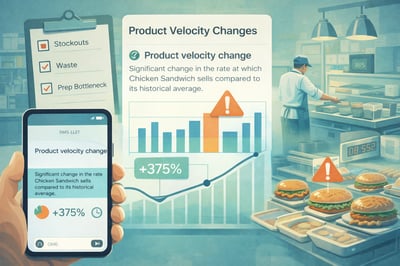
Product Velocity Changes (Item Sales Moving Too Fast or Too Slow)
The anomaly: A significant change in the rate at which a product sells compared to historical averages.
What it usually means:
- A promo is working too well (risking stockouts + ticket time issues)
- A product is tanking due to execution, pricing, or placement
- A recipe change or portioning shift is impacting guest response
- A channel mix change is altering demand (delivery vs dine-in)
The operational impact:
Velocity swings can cause:
- Stockouts
- Prep misalignment
- Increased waste
- Kitchen throughput bottlenecks
- Unplanned labor strain
How OpSage helps:
- Detects velocity changes early in the day (not after the week ends)
- Shows the “where” (specific stores, channels, dayparts)
- Helps identify correlation with promos, weather, events, or staffing
Fix playbook:
- Adjust prep pars + purchasing immediately
- Update suggested sells / merchandising placement
- Rebalance labor to protect service
- Review pricing/promos if demand is unexpectedly low or high
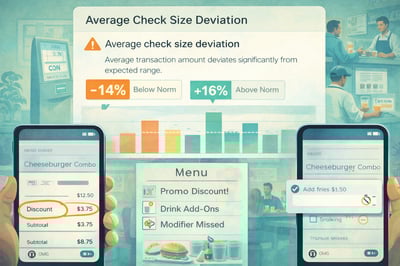
Average Check Size Deviation
The anomaly: Average transaction amount deviates significantly from expected range.
What it usually means:
- Discounting is happening more than expected
- Modifiers aren’t being offered or rung in
- Guests are trading down (or up) unexpectedly
- A channel is over-indexing (delivery has different basket behavior)
The operational impact:
Check size drift is margin drift. It’s also a sign of training or offer inconsistency.
How OpSage helps:
- Flags unexpected shifts in average check by store/daypart/channel
- Helps break down whether it’s fewer items per ticket, lower-priced mix, or heavy comps/discounts
- Highlights where performance deviates vs comparable stores
Fix playbook:
- Audit discounts/promos by user/store/channel
- Reinforce upsell steps in pre-shift (beverage, add-ons, sides)
- Confirm menu pricing consistency across channels
- Create a quick “top 3 attach” focus for the week
Menu Mix Shifts (Sales Composition Changes)
The anomaly: A meaningful change in the proportion of items sold across menu categories.
What it usually means:
- Kitchen execution issue is pushing guests away from specific items
- A new item is cannibalizing a high-margin hero
- An online menu layout change is steering behavior
- A location-specific issue (equipment down, prep inconsistency) is narrowing what staff recommends
The operational impact:
Menu mix changes can silently crush margin. Sales may look “fine,” but profitability can deteriorate under the surface.
How OpSage helps:
- Detects when category mix shifts outside normal bounds
- Connects mix changes to margin and throughput implications
- Identifies outlier stores where mix change is not system-wide
Fix playbook:
- Validate equipment + station readiness (especially if hot line items drop)
- Review digital menu layout (placement drives behavior)
- Coach teams on recommending the right items
- Update promos to protect margin (don’t over-push low margin items)
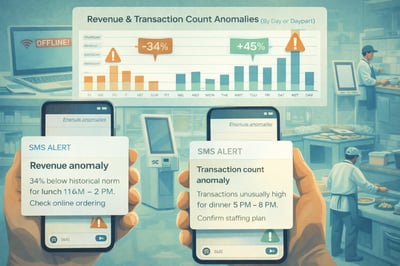
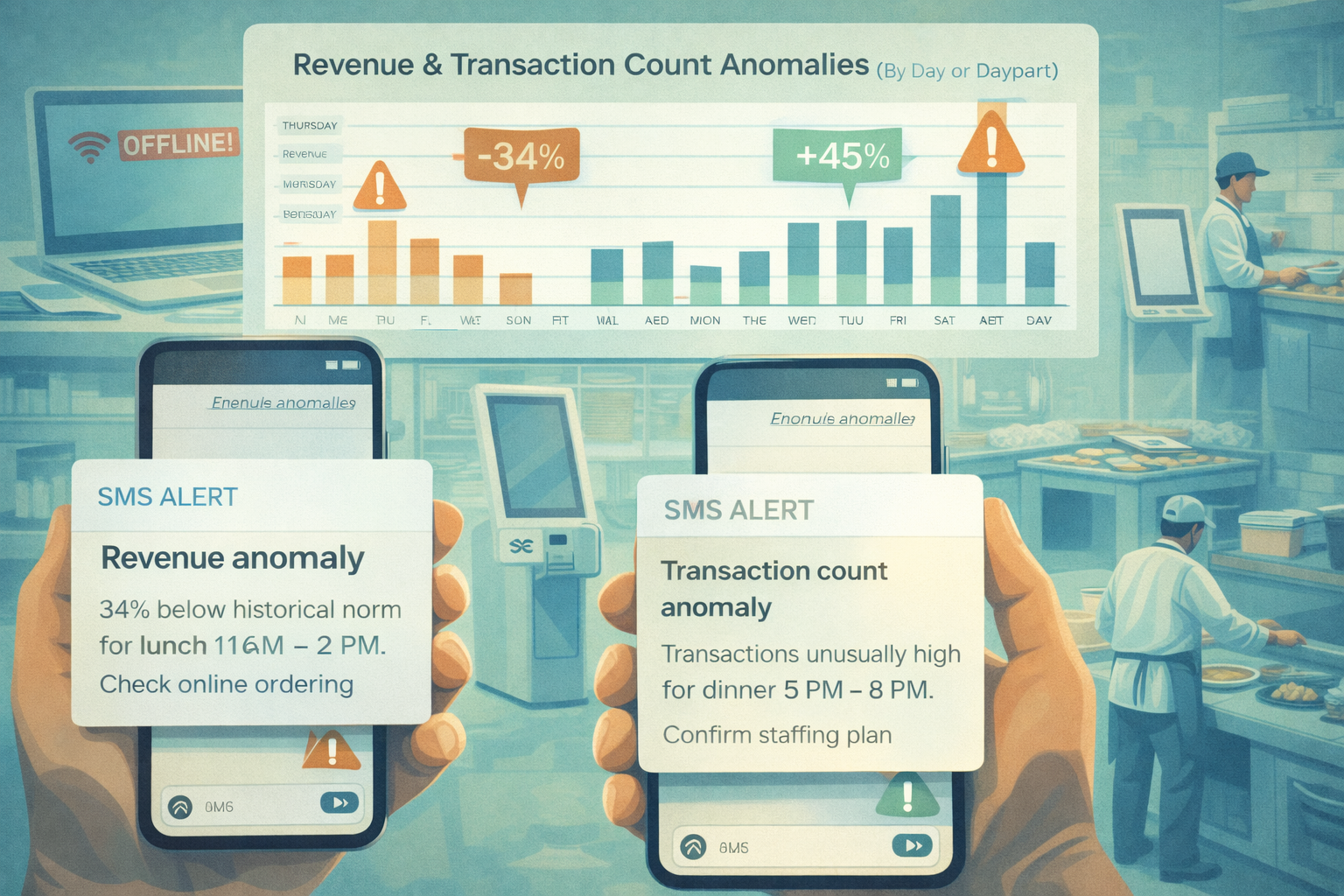
Revenue and Transaction Count Anomalies (By Day or Daypart)
The anomaly: Daily revenue changes, transaction count anomalies, or daypart revenue deviations that don’t fit normal patterns.
What it usually means:
- Staffing mismatch (service suffers, throughput drops)
- Channel outage (online ordering down, delivery throttled, payment issue)
- Local event impact (unexpected demand spike or drop)
- Operational disruption (equipment failure, temporary closure, supplier issue)
The operational impact:
Revenue anomalies can be a symptom of invisible issues: a broken ordering link, a kiosk outage, or a delivery channel paused.
How OpSage helps:
- Flags unusual dips/spikes in revenue and transactions
- Breaks it down by daypart and channel
- Helps teams quickly determine if it’s a demand problem or an access problem
Fix playbook:
- Check ordering channels (first-party, delivery, kiosk) for outages
- Confirm store hours and throttling settings
- Reallocate labor for unexpected spikes
- Use a “rapid root cause” checklist: people, tech, menu, supply, equipment
The Real Win: From “Alert” to “Action”
The best anomaly detection doesn’t just notify you. It supports decision-making:
- Who should be notified? Ops leader, GM, finance, regional?
- What changed? Item velocity, check size, mix, revenue, transactions
- Where is it happening? Store, daypart, channel
- What should we do now? A recommended action path
That’s where OpSage is headed: not just seeing problems early, but turning anomalies into operational clarity.
Closing Thought
Restaurants run on tight margins and tighter time. Anomaly detection helps operators protect both—by catching the “small” issues before they become month-end surprises.
If you want to see how OpSage by CONVX turns anomalies into alerts your team can actually use (email/SMS, configurable by type), build a short demo flow around your real data and show operators what they’ve been missing.
Reach out to us for to coordinate a demonstration for your restaurant operation.